¶ Incoming web order processing algorithm
Incoming orders from the website can be processed manually or automatically according to the settings on the Web Connection Card. Before creating the sales order itself, it is necessary to process the customer / contact / ship-to address.
¶ Customer processing
The customer's number in BC and information according to which field the customer was found is also shown on the web order card.
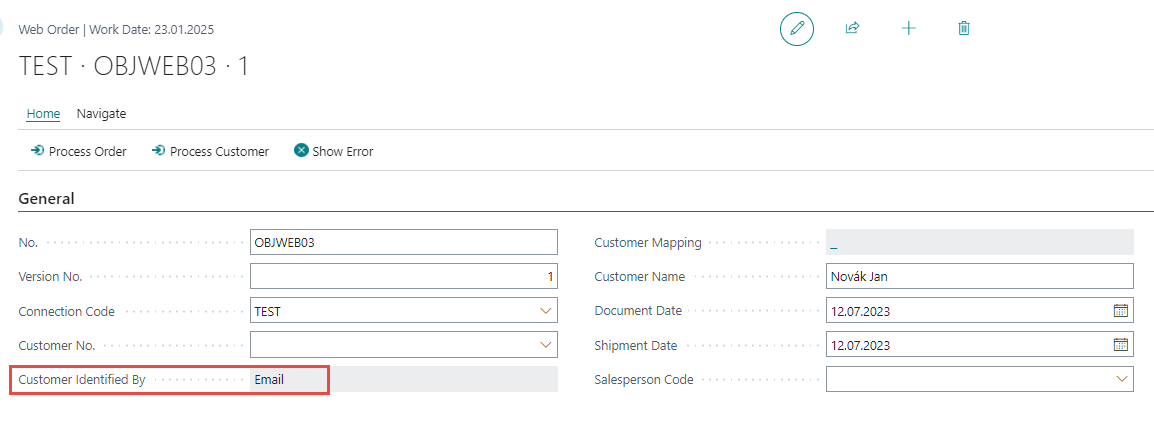
The customer number in BC is traced according to the following rules:
-
According to customer mapping - see Mapping entries on the Connection card
-
According to TIN and ID
-
According to email
-
If several customers are traced in BC according to some rule, the number of the first traced customer is saved on the web order card.
-
If the customer is not found according to one of the fields, the customer number in BC will not be filled in, nor will the Customer Identified By field on the Web Order tab be filled in.
-
If the customer is found according to customer mapping, this is a clear link. In this case, it is not necessary to process the customer and it is possible to create a sales order using the Process Order action.
-
If the field Automatically Modify Existing Customer is set to the value
Noon the connection card, then when processing the customer / web order, the user is asked whether the data on the customer card in BC should be updated according to data on the web order. Otherwise, the data on the customer's card in BC will be updated automatically.
This option can be used, for example, if the name or address of the customer changes on the website.
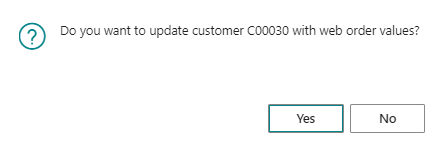
- If the customer is not found, then the user has the option to create a new customer card in BC.
When a new customer card is created in BC or when data is updated on the customer card, a customer mapping item is automatically created for the given connection.
¶ Contact processing
In addition to the contact number from the website, the card of the incoming order from the website also shows the contact number in BC and information according to which field the contact was found.
The contact number in BC is searched according to the following rules:
-
According to contact mapping
-
According to email
-
If multiple contacts are traced according to any mentioned rules, the number of the first traced contact is saved on the incoming order card. If the contact is not found according to any of the fields, the contact number in BC and the information according to which it was found will not be filled in.
-
If the contact is found according to the contact mapping, it is a clear link. In this case, it will not be necessary to process the contact and it will be possible to create a sales order. The user has the option to update the contact in BC according to data from the website. This option can be used if the contact's name or address changes on the website.
-
If the contact is not found, the user will have the option to create a new contact.
¶ Item Searching
Item cards are searched according to the settings on the connection card in the Item Search Type field.
- If the item card is not found and at the same time on the connection card the value
Nois in the field Automatically Create New Items, then an error will be displayed when creating a sales order.
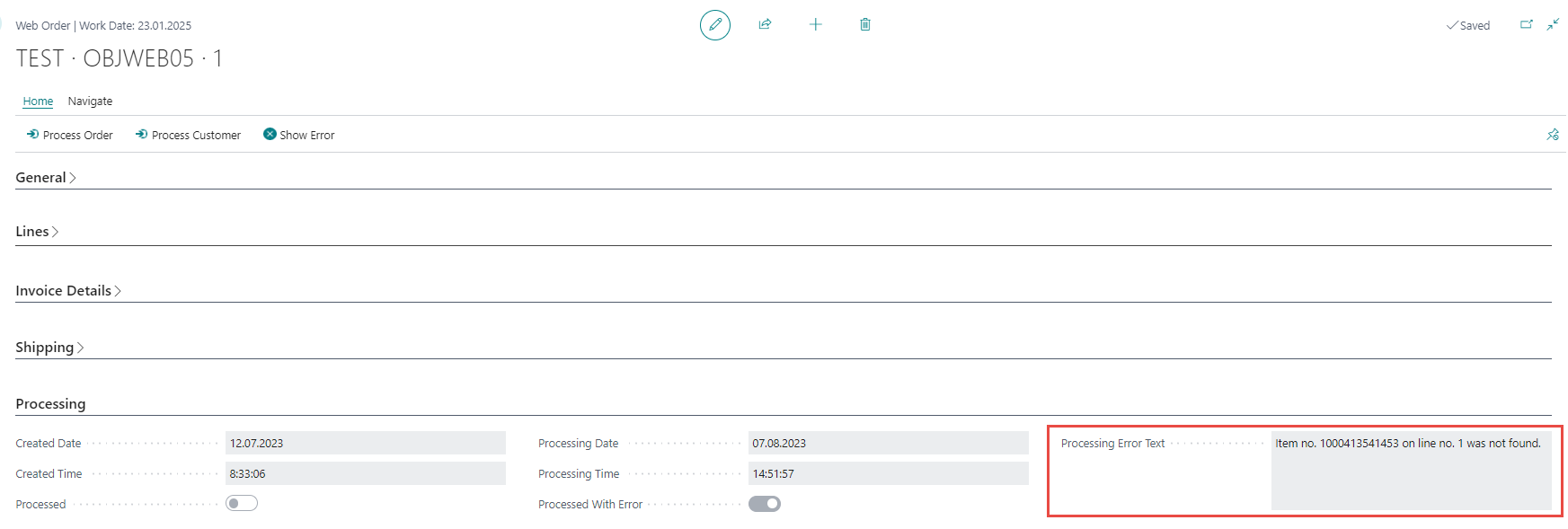
In this case, the user must create the item card manually. After creating the item card, it is necessary to process the web order again.
- If the item card is not found and at the same time the Automatically Create New Items field has the value
Yeson the connection card, then a new item card is automatically created and the web order is processed.
¶ Creating sales Order
After processing the customer, it is possible to create a sales order.
The following checks will take place when a sales order is created:
-
Checking whether the customer has been processed
-
Checking whether the contact has been processed
-
Checking whether all items on the order have been found
If all checks go well, then a sales order is created in BC.
-
The sales order in BC is created with the number of the incoming order or in a number series according to the connection settings.
-
A sales order in BC is linked to a web order that was imported from the web using the Web Order Number field on the sales order header and sales order lines. Added Web Order Line Number field in sales order lines.
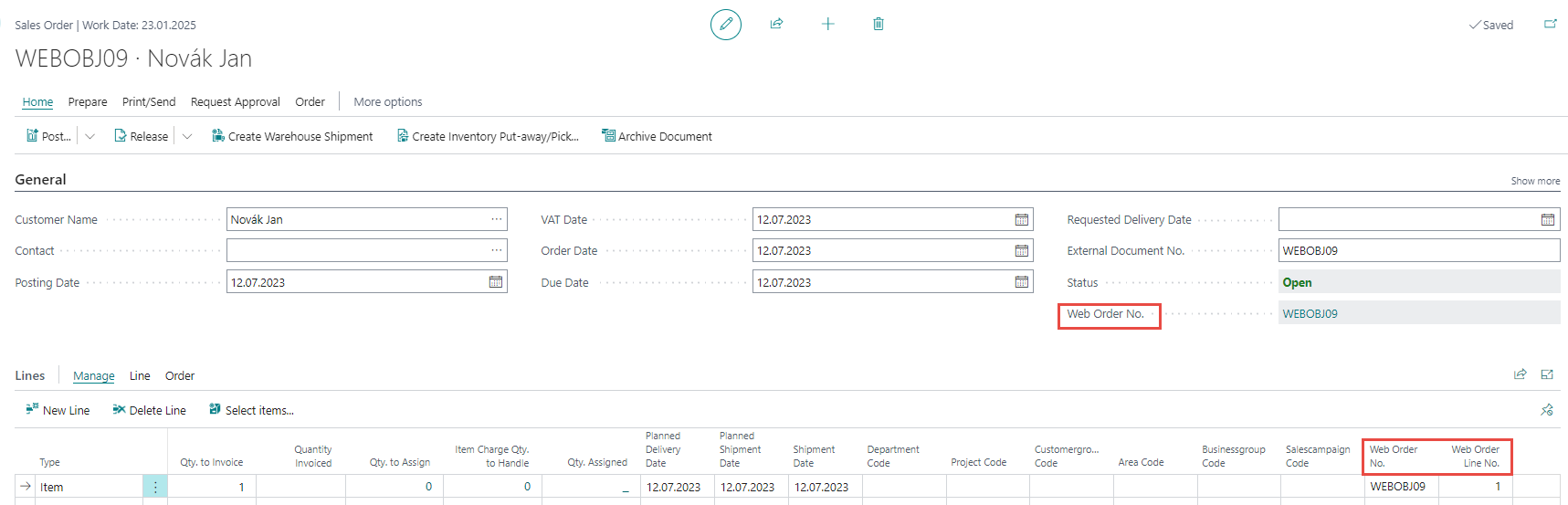
When creating a sales order, the following checks are performed:
- Whether the data on the customer from the website is the same as on the customer in BC.
If BC detects a difference in any of the fields, then depending on the setting of the Automatically Modify Existing Customer field, the user will either be asked if he wants to update the customer in BC according to the data on the web order or the update will be done automatically.
If the data update is not performed automatically, and the user answers the question about updating the data on the customer's card in BC:
-
No, then the sales order will be created with the values according to the web order, but the original values will remain on the customer's card in BC. -
Yes, then the sales order will be created with the values according to the web order, and at the same time the customer's card in BC will be updated according to the values on the web order. -
Whether the information on the contact from the web is the same as on the contact in BC.
This check is similar to the check on customer data - see the paragraph above.
When creating a sales order, the prices are adjusted according to the settings on the connection card in the Item Price Priority field.
- If in the field Item Price Priority the value is set to
Ask userand there is a situation where the price for the given customer and the items in BC and on the line of the web order is different, then a question will be displayed to the user, what price should be imported into the line of the sales order being created.
The price check is performed sequentially for each line of the imported web order.
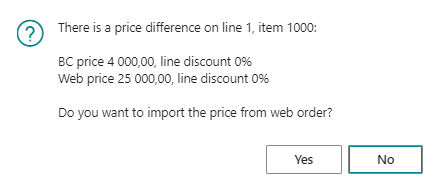
The user must decide whether to keep the price indicated on the web order or the price from BC for the given items.