¶ Headers
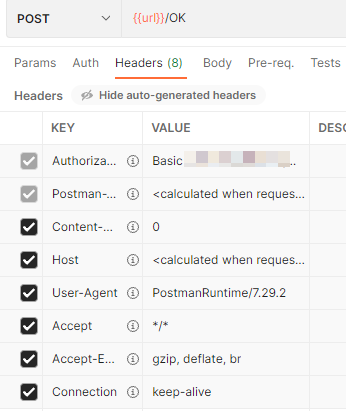
HTTP headers are sent with every request, in Postman you can see them on the Headers tab. Some of them are sent with every request (typically an Authorization header used for authentication or Accept header), but some can be specific for a single operation.
¶ Provider Headers
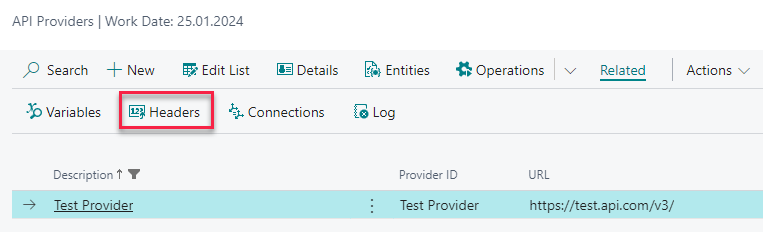
Provider headers contain the ones, that should be sent with every provider request. This is typically some kind of authentication header or Accept header denoting preferred response body type. To view the list of provider headers, select your API provider from the list and open Related / Headers.
Headers are always a pair of header name (Header Key) and its Value. If needed, you can enable or disable selected header by switching Enabled.
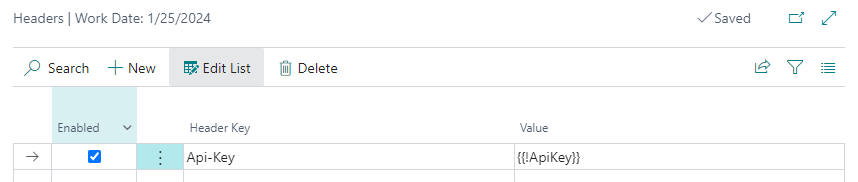
Tip: In case of API keys and other secrets it is better to use Variables instead of placing plain text value here.
¶ Operation Headers
Headers can be set on the operation level too. To view the list of headers, select you operation from the list and open Related / Headers.
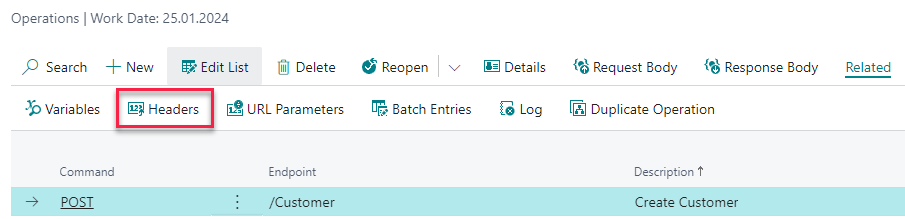
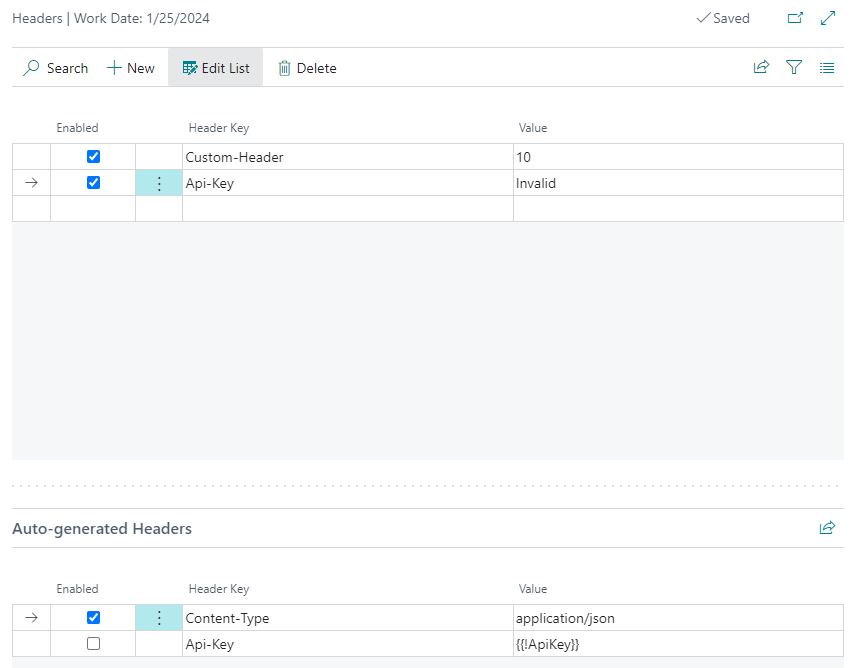
Operation headers page is a bit different:
- In the bottom there are Auto-generated Headers. These are all headers set on the provider level, plus all headers that are set based on operation Request Body Type (e.g.
Jsonrequest type always sendsContent-Type: application/jsonheader). - You can set operation-specific headers on the top. These headers have priority and can override any auto-generated header.
¶ Form-data field headers
In operations with Request Body Type Form-data (see https://everything.curl.dev/http/multipart) there are headers sent with every "form field". These are usually generated automatically, but you can view them by selecting the node in request schema and opening Home / Headers.
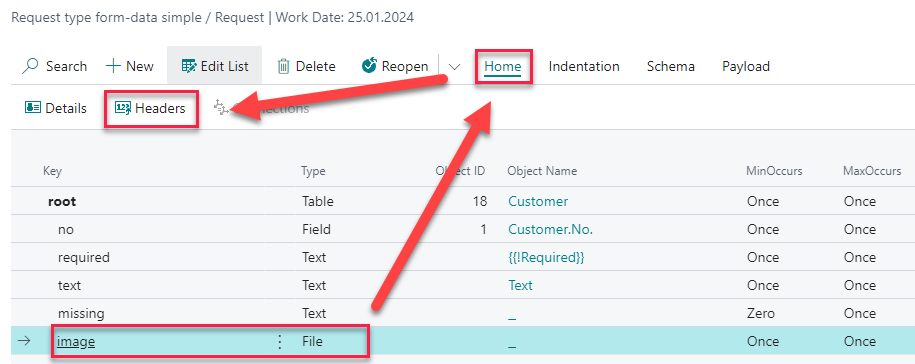
Field of type File has for example pre-set Content-Type (file type) and Content-Disposition headers, that can be manually overwritten if needed.
